Export Your Apple Watch Routes to GPX
Turn your running, cycling, walking, and hiking workouts into shareable GPX files. Simple, private, and designed for outdoor enthusiasts.

What is RouteDrop?
RouteDrop is an iOS app that reads your Apple Watch workout data from Apple Health and exports GPS routes as GPX files. Perfect for sharing routes with friends, importing to other fitness apps, or keeping backups of your favorite paths.
Export as GPX
Convert your Apple Watch workout routes into standard GPX files that work with any GPS app.
Beautiful Maps
Preview your routes on an interactive map with full route details and elevation data.
Detailed Statistics
View distance, duration, pace, elevation gain, and more for every workout.
Easy Sharing
Share GPX files via AirDrop, Messages, email, or save to Files app for use anywhere.
Smart Filtering
Filter workouts by activity type (running, cycling, hiking, walking) and date.
Privacy First
All data stays on your device. No account, no subscription, no cloud sync, no tracking.
How It Works
Grant Permission
Open RouteDrop and allow access to your Apple Health workout data.
Browse Workouts
See all your GPS-tracked workouts with maps and detailed statistics.
Select & Export
Choose any workout and tap Export GPX to create your file.
Share or Save
Use the iOS share sheet to save or send your GPX file anywhere you need.
See It In Action
Get a glimpse of RouteDrop's clean, intuitive interface designed for outdoor enthusiasts who want quick access to their workout routes.
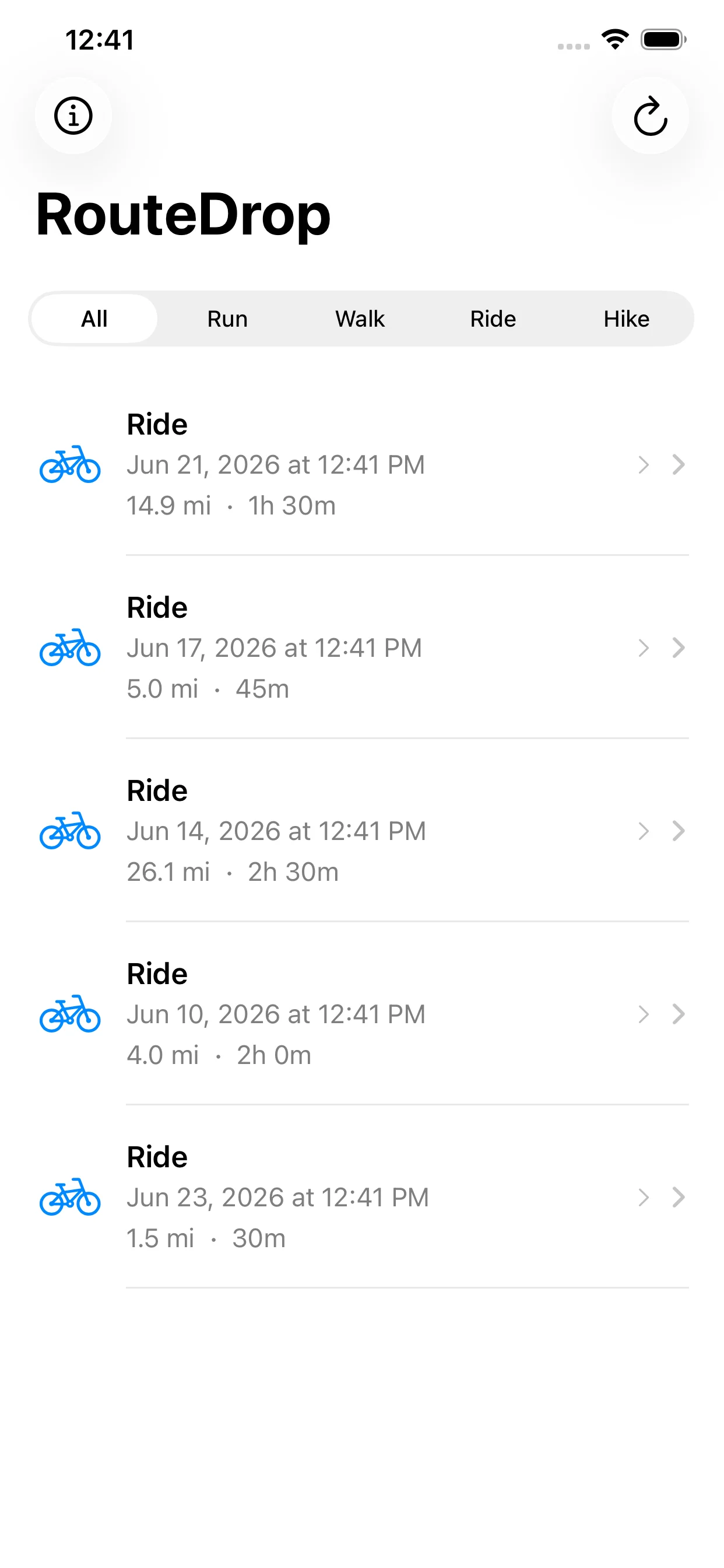
Browse your workouts with smart filtering
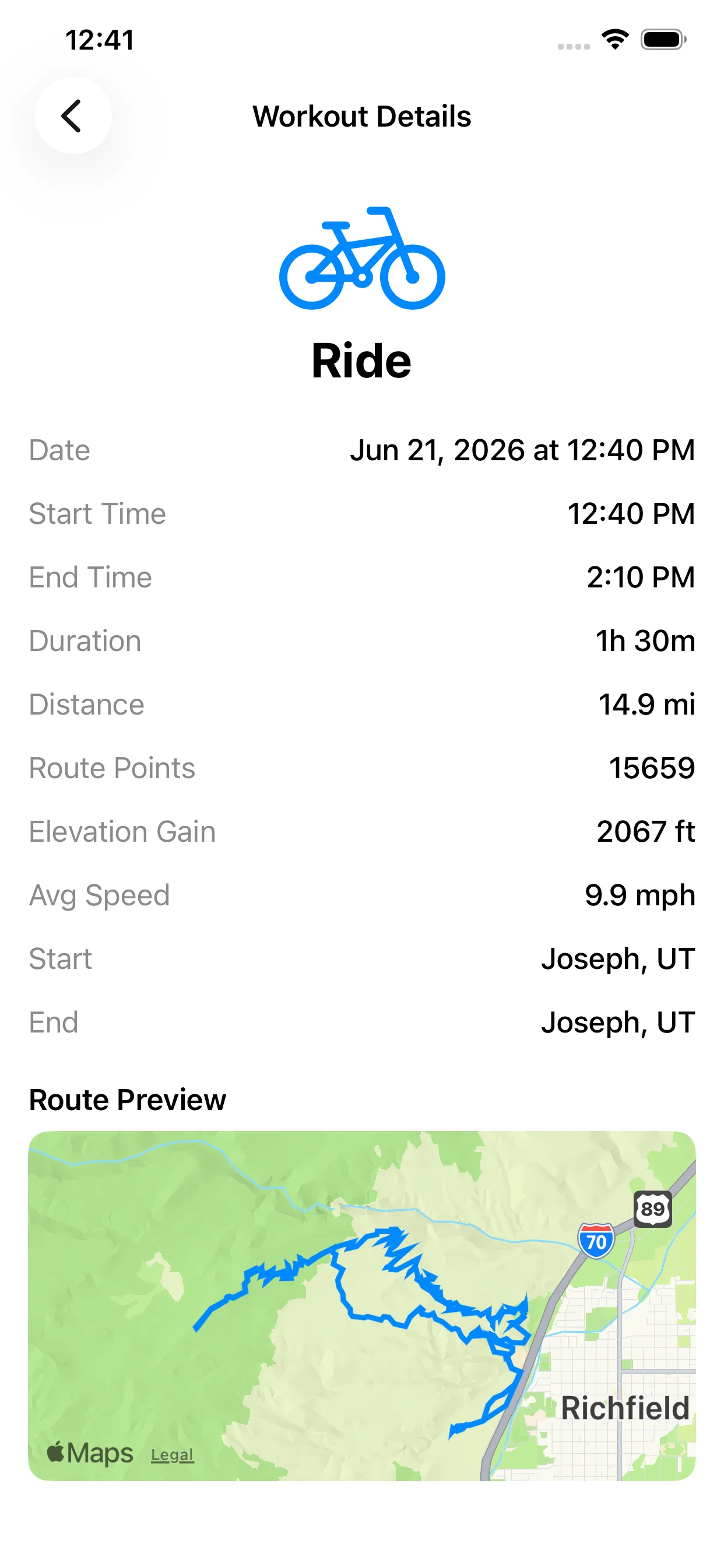
View detailed stats and route previews
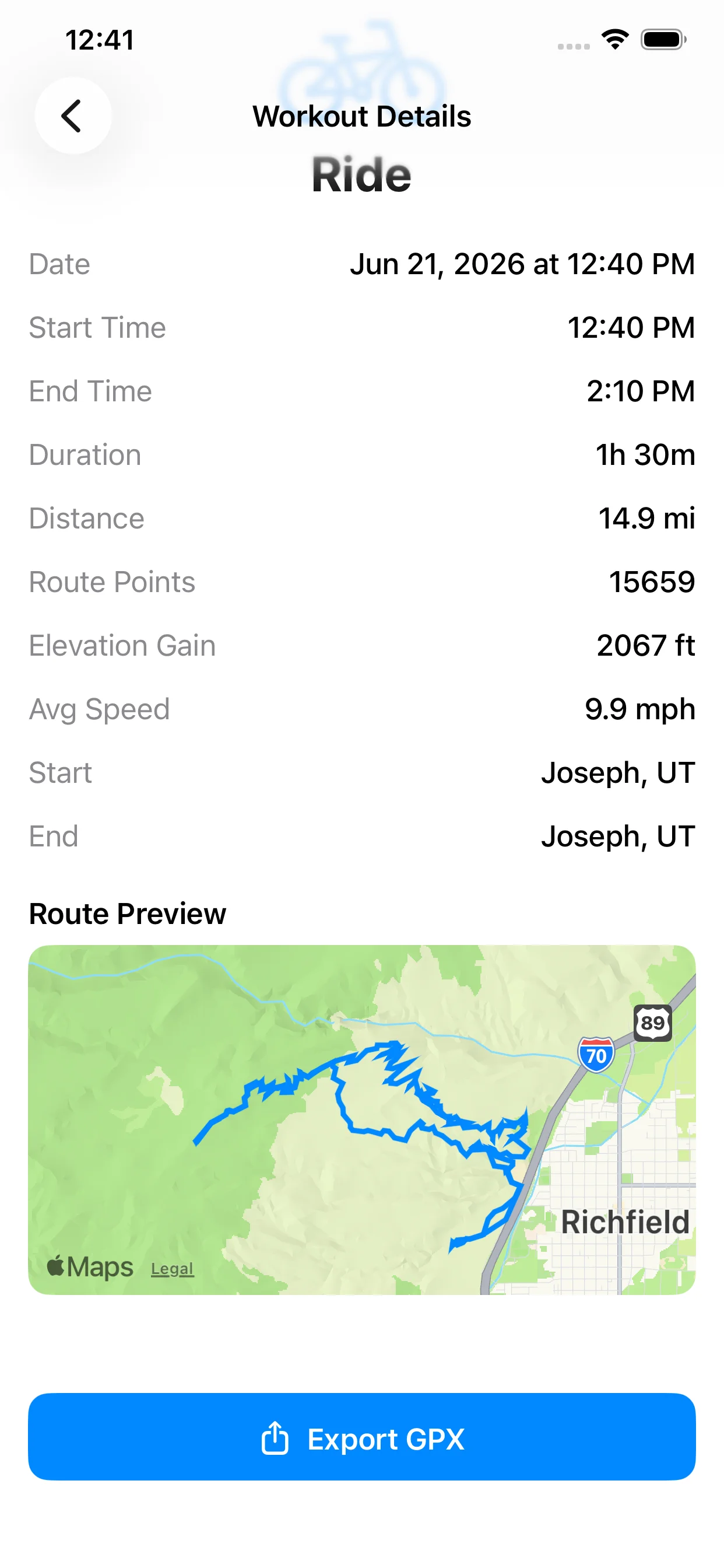
Export to GPX with a single tap
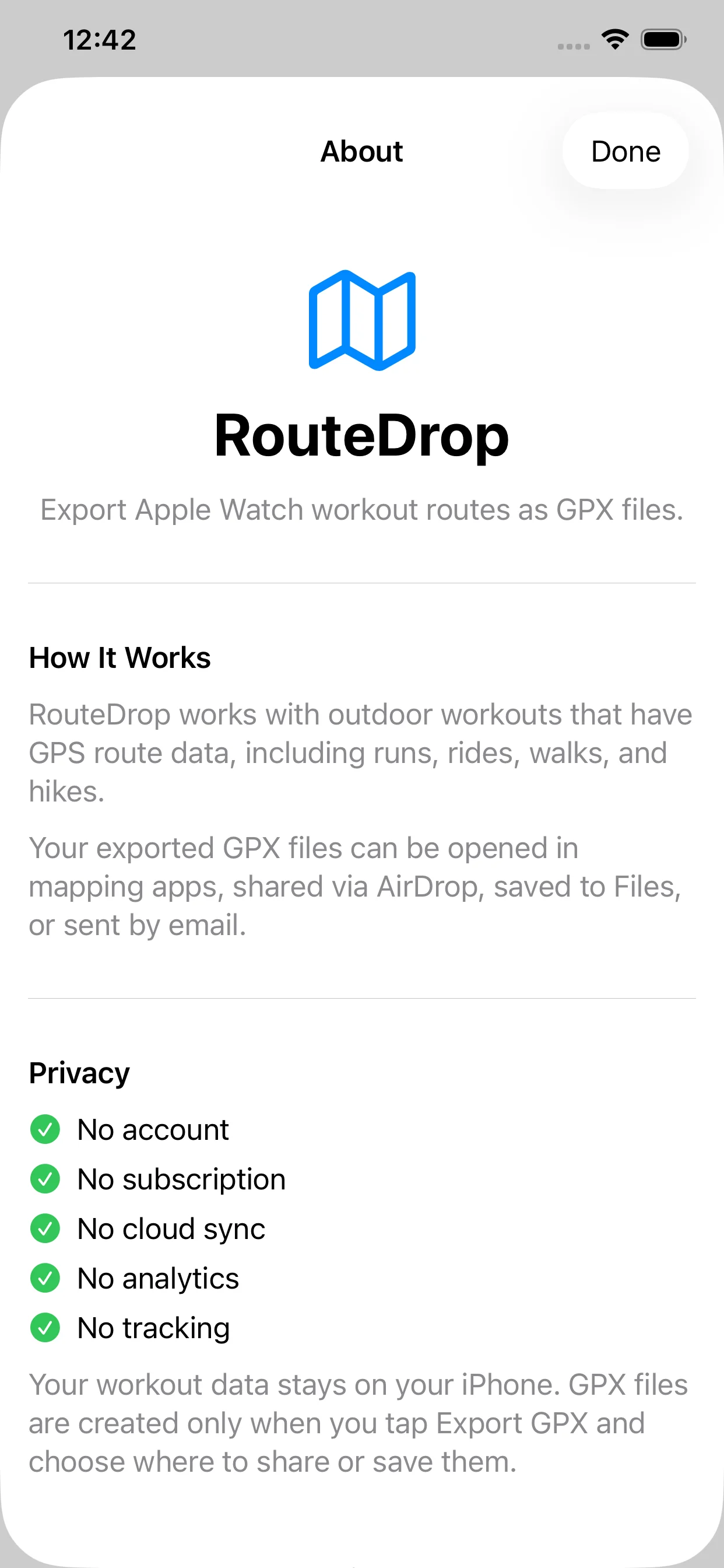
Privacy-first with no account needed
Perfect For
Runners
Share your favorite running routes with friends
Cyclists
Import routes into Strava, Komoot, or other platforms
Hikers
Document trails and paths for future reference or sharing
Athletes
Take control of your workout data and route history
Outdoor Enthusiasts
Back up GPS routes from Apple Health for safekeeping
Privacy-First Design
Your workout route data stays on your iPhone unless you choose to export or share it. RouteDrop is built with your privacy as the top priority.
Questions?
We're here to help. Get in touch with our support team.
Contact Support